

Muhammad Usman Aleem
Table of Contents
Medical imaging has transitioned rapidly in the last 10 years, with hospitals & imaging centers handling higher scan volumes while being expected to deliver faster results. Traditional workflows and disconnected imaging environments are no longer practical, especially when organizations continue expanding across multiple locations and specialties. This growing demand is one of the reasons the PACS market is projected to grow from USD 3.1 billion today to nearly USD 4.9 billion over the next decade. Healthcare providers are increasingly looking for imaging systems that can simplify storage, improve accessibility, and support interoperability without adding complexity. This is why many organizations are now asking what is PACS in medical imaging, and why it has become such a central part of modern healthcare delivery. In this blog, we’ll break down how PACS works, and Folio3’s solution, PACScribe, can modernize medical imaging workflows.
What is PACS in Medical Imaging?
PACS, or Picture Archiving and Communication System, is a digital solution produced during medical imaging software development that replaces legacy film-based methods.
Instead of relying on physical films, our cloud PACS solution collects, stores, shares, and displays images from multiple modalities like X-ray, MRI, and CT scans. To support this process, a PACS is made up of imaging equipment, a network for data transmission, viewing workstations, and an archive for long-term storage.
By integrating these components, it allows quicker access to patient information, which in turn makes collaboration between healthcare providers easier. This streamlined workflow not only improves efficiency but also supports better patient care through secure digital storage and sharing.

The Main Components of PACS
1. Imaging Modalities (Acquisition Devices)
- The starting point of a PACS system is the imaging equipment itself.
- Machines such as X-ray, CT, MRI, ultrasound, and PET scanners generate the medical images that need to be stored and reviewed.
- These devices often connect through gateway computers that prepare the images for the system.
- One step is converting the data into the DICOM (Digital Imaging and Communications in Medicine) format, which is the universal standard for medical imaging.
- This ensures that images from different machines can be handled consistently by PACS.
2. Network for Data Transmission
- The captured images are formatted and transmitted securely to the rest of the system.
- A reliable communication network moves the data between imaging devices, servers, and workstations.
- This network is designed to handle large image files quickly and safely, making sure that clinicians can access them without delay.
- The secure transfer also prevents data loss or breaches, which is critical in a healthcare environment where patient privacy is a priority.
3. PACS Server and Archive (Storage Systems)
- The PACS server acts as the central hub of the system and receives incoming images, organizes them, and stores them in databases for short-term and long-term access.
- Archives may be on-site, cloud-based, or a combination of both. In larger healthcare organizations, a vendor-neutral archive is sometimes used, which can combine images from different PACS systems into a single, unified database.
- This approach improves interoperability across departments and facilities.
4. Viewing Workstations
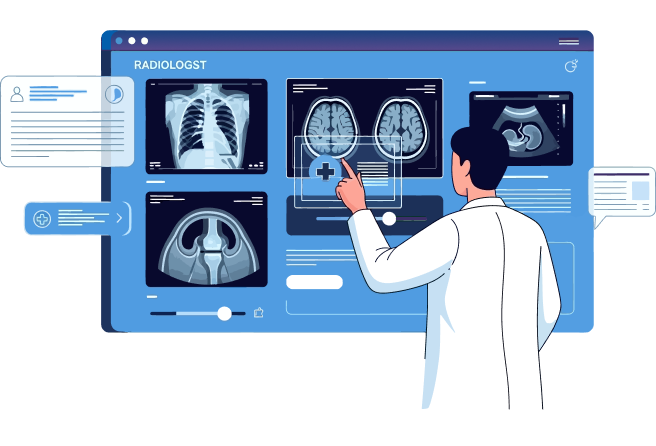
- Radiologists and doctors use these computers to review and interpret images as part of the diagnostic process.
- Workstations may include advanced tools for adjusting contrast, zooming, or comparing images side by side.
- Reports and annotations can also be added directly to the system, making it easier to communicate findings with other healthcare providers.
How the PACS System Works: The Process
- Capture: Medical images are produced by imaging modalities.
- Format & Send: Gateway computers convert them into DICOM and send them into the network.
- Transport: A secure network delivers the images to the PACS server.
- Store: The server archives the images for current use or future reference.
- View: Clinicians access the images through workstations, where they can analyze and share their findings.

What Makes PACScribe By Folio3 a Future-Ready Solution?
- Interoperability: PACScribe supports both HL7 and FHIR standards. It comes with Epic integration built in and allows all types of EHRs, like Cerner or athenahealth, to exchange data easily.
- AI Reporting and Predictive Insights: The platform uses AI to assist with reporting and extract meaningful insights from imaging data. By easing the workload on radiologists and accelerating diagnostic workflows, PACScribe improves accuracy and efficiency for better patient outcomes.
- Audit Trails and Compliance: Every action in PACScribe is tracked through detailed audit trails, from image access to report changes. This transparency helps organizations meet regulatory requirements like HIPAA compliance, while also supporting internal quality assurance and risk management.
- User-Centered Design: Features such as Single Sign-On (SSO), smart notifications, role-based access, and a cloud-based architecture make PACScribe secure, scalable, and easy to use. These tools boost clinician productivity while ensuring strong IT governance.
9 Benefits of Using PACScribe
- Immediate Access: Clinicians can instantly access high-resolution X-rays, CT scans, and MRIs from any location. This limits the time wasted, allowing for quicker treatment decisions, especially in critical situations.
- More Trusted Diagnostics: Features like zooming in, panning, measuring, and adjusting brightness/contrast help in spotting subtle abnormalities that might be missed on a physical film. Some systems even offer 3D reconstruction and fusion of different imaging modalities.
- Seamless Collaboration: Multiple healthcare professionals, regardless of their physical location, can view the same images simultaneously. This capability fosters real-time collaboration among specialists, enabling multidisciplinary teams to consult on complex cases and create comprehensive treatment plans.
- Reduced Costs: By eliminating the need for physical film, chemicals, printers, and dedicated film storage space, a PACS viewer drastically cuts down on operational costs. It also reduces the need for staff to manage film archives.
- Increased Productivity: The digital system automates many manual tasks. For example, a PACS can be integrated with a Radiology Information System (RIS) to automatically update worklists, reducing administrative burdens and freeing up staff to focus on patient care.
- Less Rework: With digital images, there’s a lower risk of lost or damaged files. The high-quality digital format also reduces the need for repeat scans due to poor image quality, saving money and minimizing patient exposure to radiation.
- Data Security: A PACS viewer protects patient data through features like robust encryption, multi-factor authentication, and comprehensive audit trails. This ensures compliance with regulations like HIPAA and provides peace of mind that patient information is secure.
- Scalability: Cloud-based solutions offer virtually unlimited storage and computing power. This scalability allows healthcare facilities to easily handle growing patient volumes and increasing data without investing in additional on-premise hardware or servers.
- Future-Proofing: A well-designed PACS viewer can integrate with other essential systems, such as EHRs, creating a unified patient data platform. This interoperability ensures the technology remains relevant as healthcare IT systems evolve.

Current Challenges and How PACScribe By Folio3 Digital Health Can Solve Them
1. Integration and Interoperability
Most PACS systems don’t connect easily with hospital platforms like EHRs, RIS, or wearables. This creates fragmented workflows and limits access to complete patient records.
How PACScribe solves this: PACScribe comes with Epic EHR integrated, ready to use. With modern standards such as HL7 and FHIR. It directly offers EHR integration and can also connect with wearables.
This makes imaging data part of a single, unified record, improving collaboration across teams and giving clinicians the full picture they need.
2. Security and Compliance
Medical imaging contains sensitive patient information, and older PACS systems often lack strong protections. Data breaches, unauthorized access, and incomplete audit trails put both privacy and compliance at risk.
How PACScribe solves this: PACScribe uses role-based access, two-factor authentication, secure hosting options, and detailed audit logs. These features keep data protected and help organizations stay aligned with regulatory requirements.
3. Speed and Scalability
Slow loading times, limited mobility, and outdated workflows can delay diagnosis, especially in settings like sports medicine or trauma care.
How PACScribe solves this: PACScribe provides a cloud-based DICOM viewer that runs smoothly on desktops, tablets, and phones.
Images can be uploaded, shared, and viewed in real time, with advanced tools for annotations and collaboration.
Conclusion
PACScribe is the solution of the future with its unique and diverse capabilities. By solving the main challenges of integration, security, & speed, it supports clinicians with easy and secure access to images, reliable data protection, and the flexibility to scale with demand. The result is a smarter workflow, faster decisions, and better outcomes for patients.
Frequently Asked Questions
How does a PACScribe ensure our organization remains compliant with HIPAA?
- Data encryption
- Access controls
- Audit trails
- De-identification
Can PACScribe integrate with an existing EHR system?
Yes. It comes natively with Epic and can integrate with other EHRs too. They abide by healthcare IT standards like DICOM (Digital Imaging and Communications in Medicine) for images and HL7 (Health Level Seven) for text-based patient information. This ensures that a patient’s images, reports, and full medical history are accessible in one place, directly from the EHR. Clinicians do not need to switch between multiple platforms, saving time and speeding up care.
What kind of return on investment (ROI) can you expect from implementing PACScribe?
- Reduced Operational Costs: A cut in the expenses associated with physical film, chemicals, printers, and storage space.
- Increased Staff Productivity: Automated workflows result in faster access to patient records; collaboration tools allow clinicians to see more patients and spend less time on administrative tasks.
- Improved Patient Outcomes: Faster diagnoses and more informed treatment decisions can lead to better patient outcomes and, in turn, higher patient satisfaction and hospital reputation.
Who can use PACScribe other than radiologists?
While radiologists were the primary target, today, PACScribe can be integrated across the entire system. Here are a few of the other areas where it’s making its mark:
- Cardiology
- Oncology
- Orthopedics
- Urgent Care
- Ophthalmology


